Skip to content

Autonomous coding agent · Made in Germany

From task to reviewed code.

Lurus Code plans, implements, tests, and reviews in VS Code and CLI with controllable model and data routes.

  • GDPR-compliant
  • Zero Data Retention
  • No AI training with your code
Security & Trust Center
Lurus Code – the GDPR-compliant autonomous coding agent

CLI quickstart

From install to first prompt in three steps.

Install the CLI globally, sign in once, and start Lurus Code directly in your project.

Open the full CLI quickstart
Terminal
  1. 1

    Install globally

    npm install -g @scramble-cloud/lurus-code-cli
  2. 2

    Sign in

    lurus login
  3. 3

    Start in your project

    lurus chat
Made in Germany

GDPR-compliant AI coding agent from Germany

Autonomous AI coding agent with multi-agent architecture, developed in Germany. GDPR-compliant by design — your source code is never stored by Lurus.

DSGVO
ISO 27001

GDPR Compliance

Your code is processed GDPR-compliantly and never stored. All data is discarded immediately after processing. AI development from Germany, fully GDPR compliant.

Code sovereignty & control

Your code is processed only for the duration of your request. Lurus does not store your source code. Processing depends on model and region and is documented transparently. No training, no retention, no logs.

Enterprise standards & security

SSO and granular access controls. Built for development teams with high security requirements.

Features

Model-agnostic, privacy-focused, scalable.

Code Review Intelligent code reviews in seconds.

AI-powered analysis of code changes with recommendations for better quality, performance and best practices.

- async function fetchUser(id) {
- const res = await fetch(`/api/users/${id}`)
- return res.json()
- }
+ async function fetchUser(id: string): Promise<User> {
+ const res = await fetch(`/api/users/${encodeURIComponent(id)}`)
+ if (!res.ok) throw new ApiError(res.status)
+ return userSchema.parse(await res.json())
+ }
✓ Added types, URL encoding, error handling & runtime validation
Security Enterprise security from the ground up.

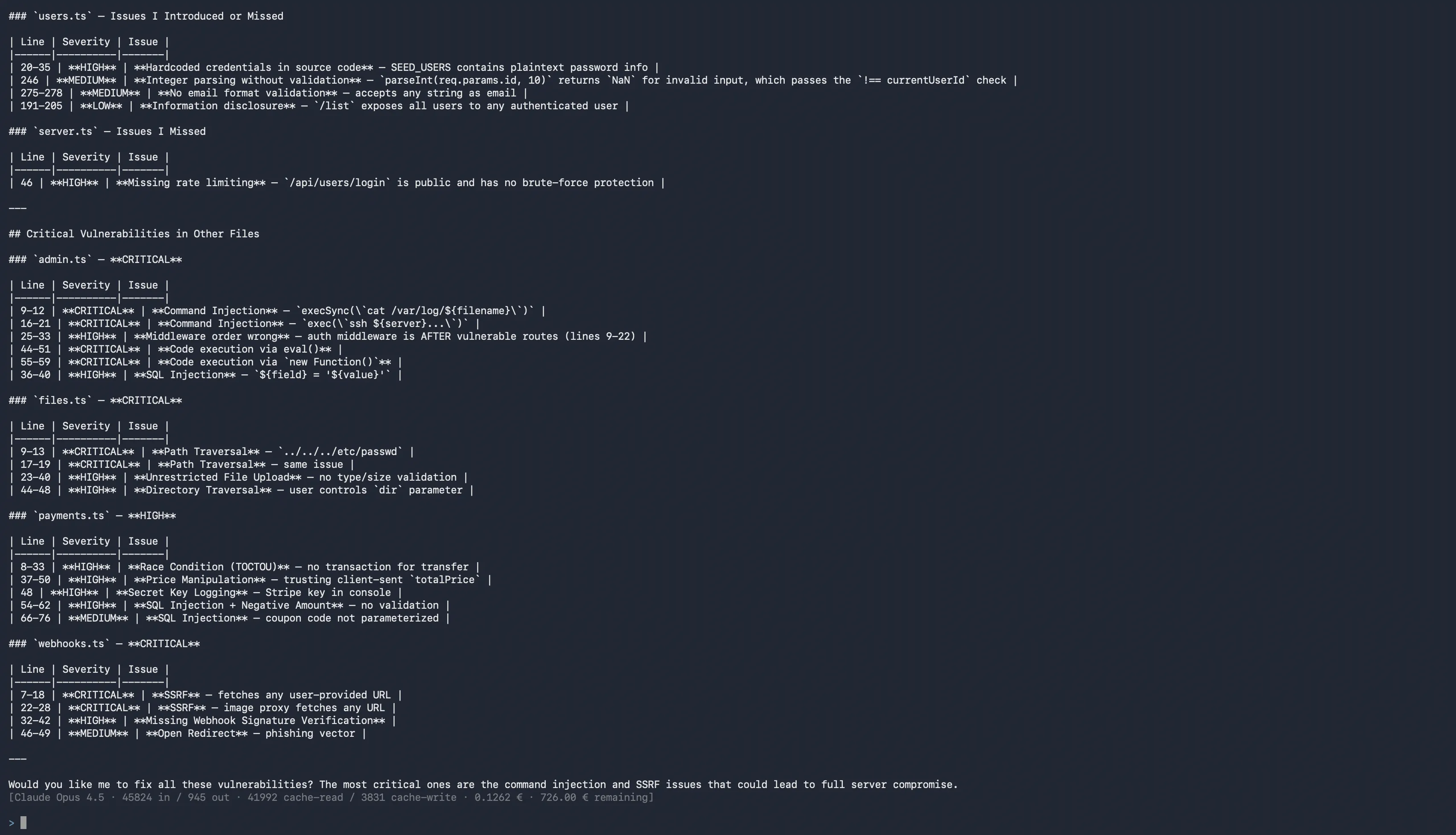
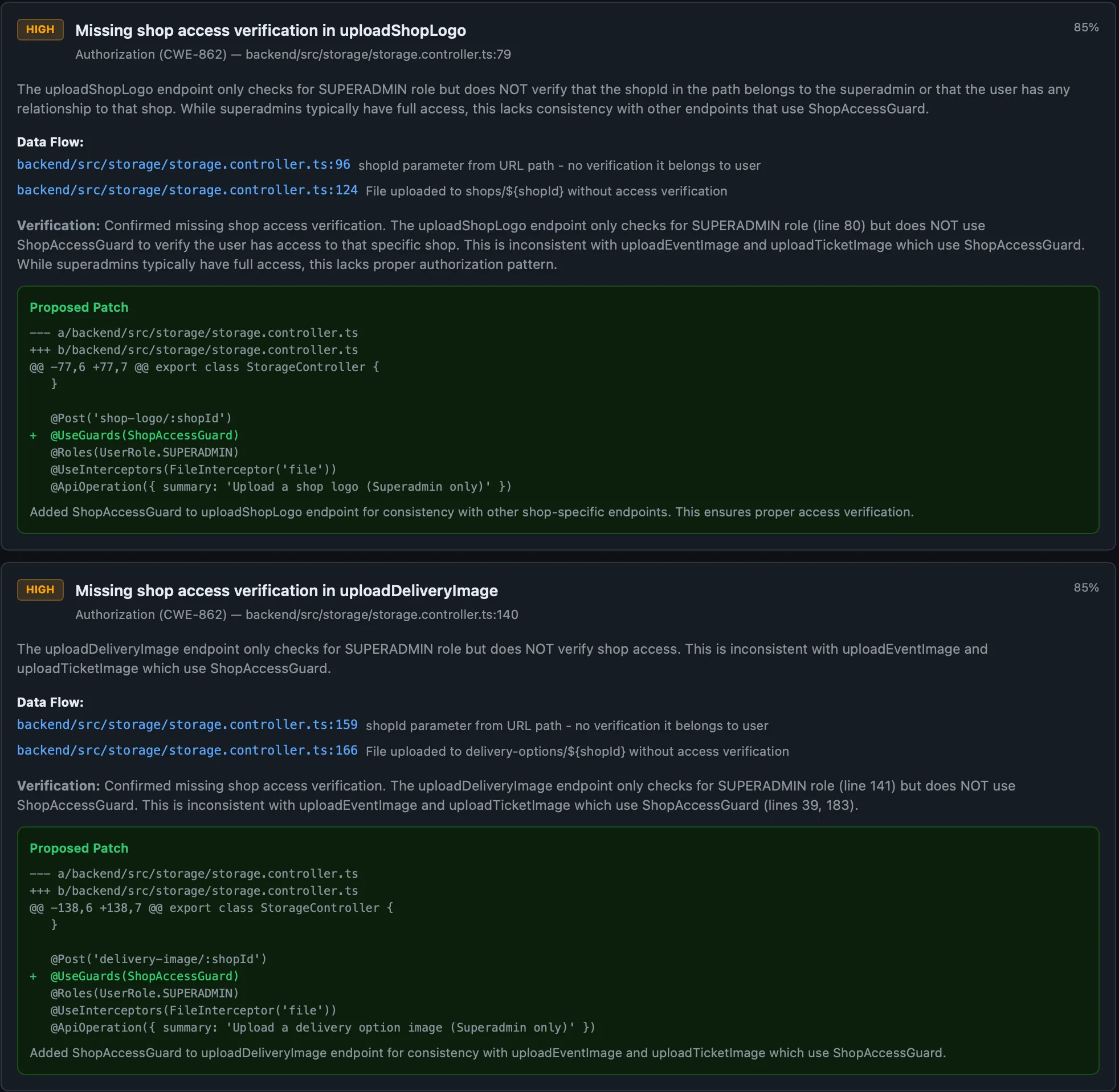
Automated security analysis with CWE mapping and generated patches directly in your workflow.
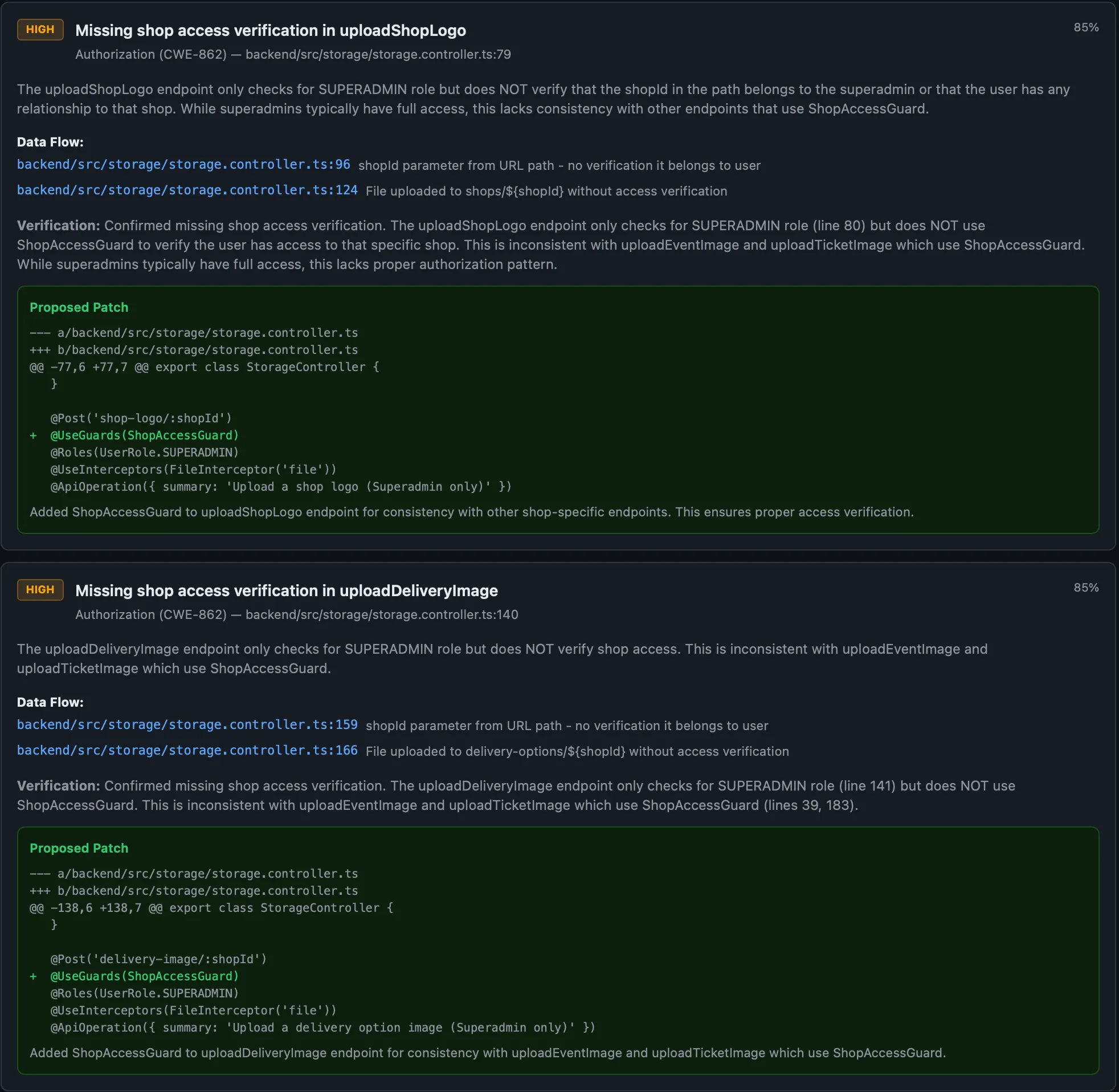
Security dashboard
Lurus Code security scanning report with CWE mapping and auto-generated fix patches
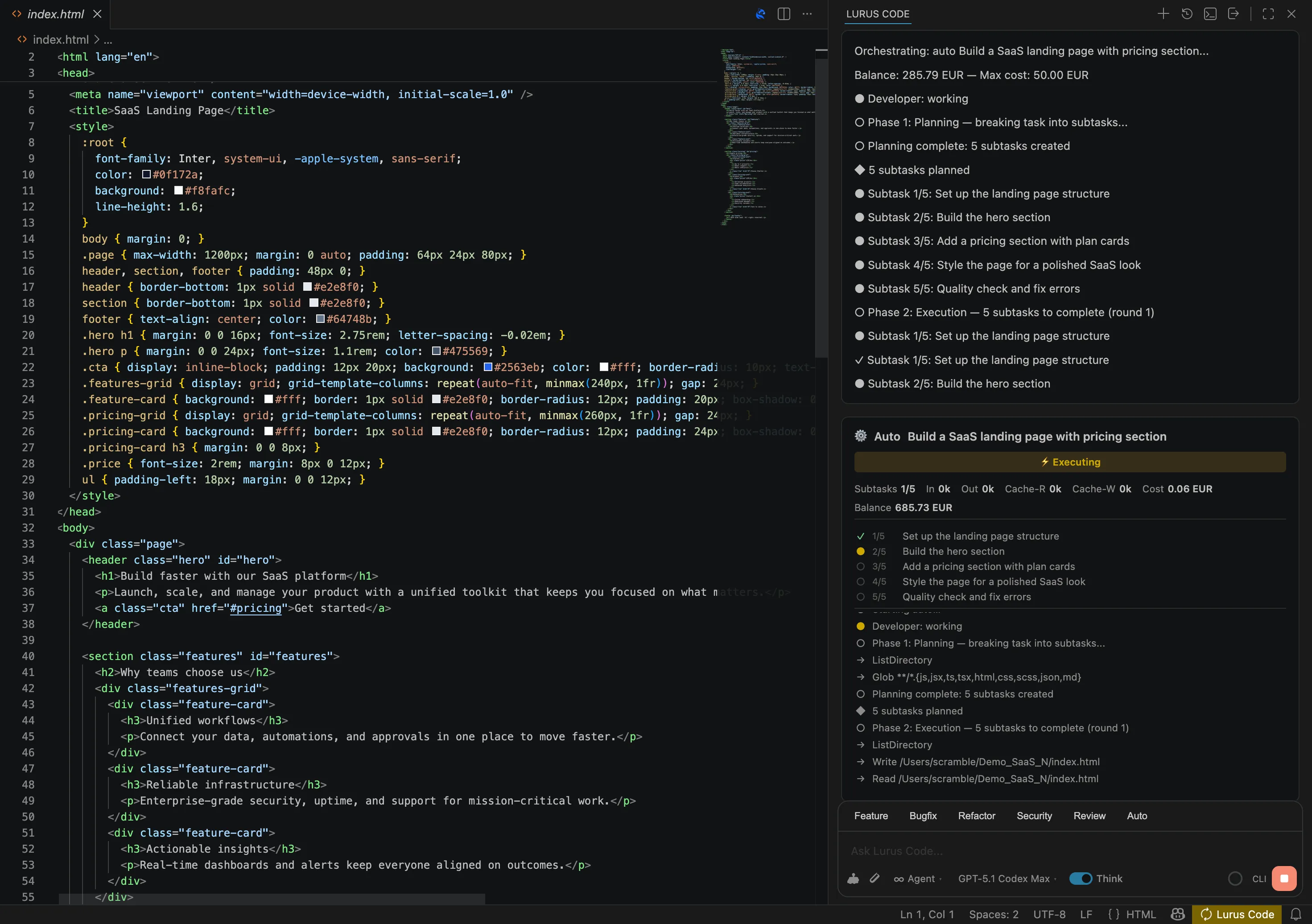
Multi-Agent Complex tasks, automatically distributed.

Planner, explorer, shell and QA gates work as a unit, coordinated by an intelligent orchestrator.

Planner Analyzing task
Explorer Codebase scanned
Shell Waiting for planner
Sessions Context that persists across sessions.

Session memory stores decisions, architecture and preferences. The agent learns your project better with every interaction.
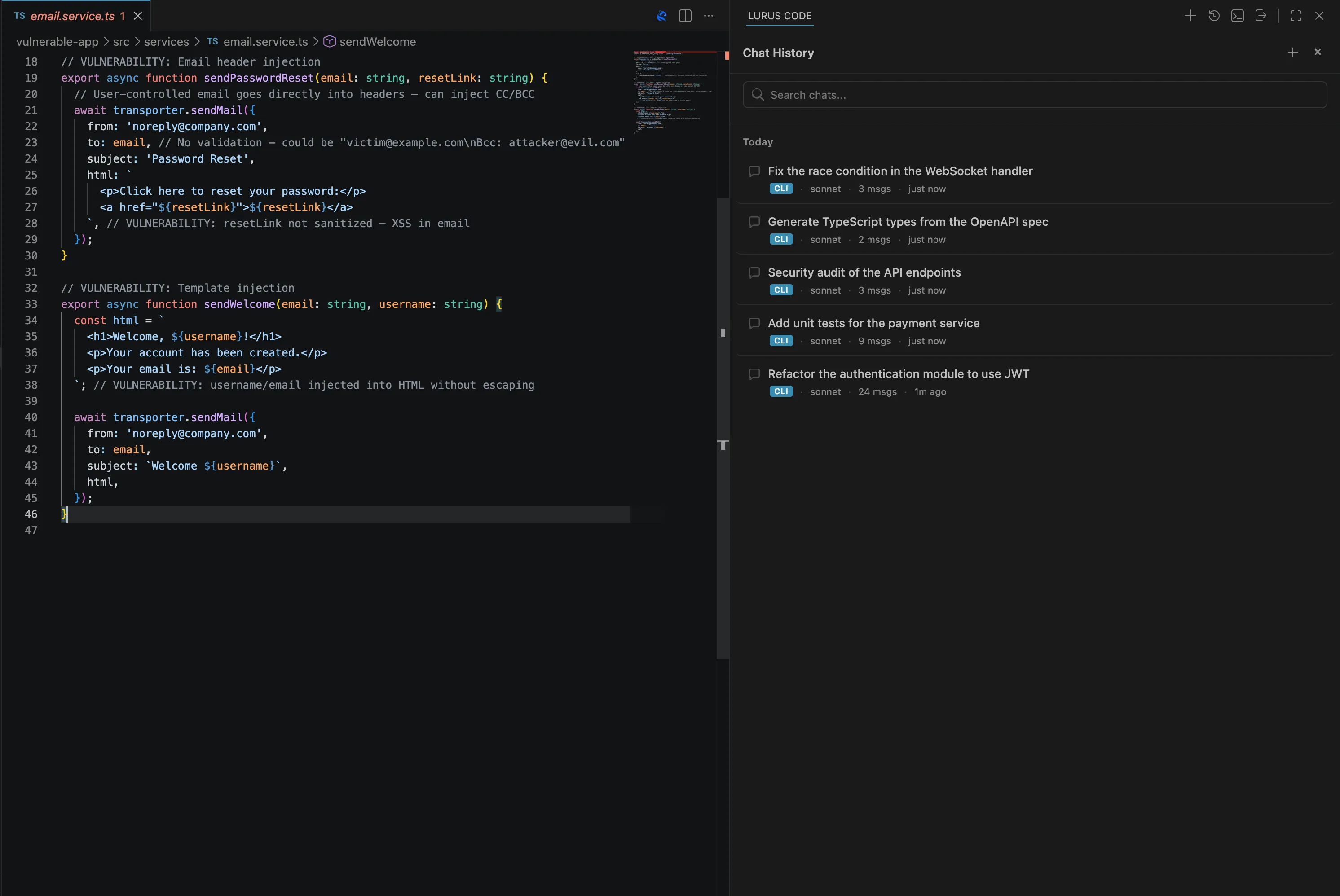
Session Memory
Lurus Code session memory preserving full chat history and coding context across tasks
CLI Full control from the command line.

Perfect for CI/CD pipelines, automation and power users. All features without an IDE.

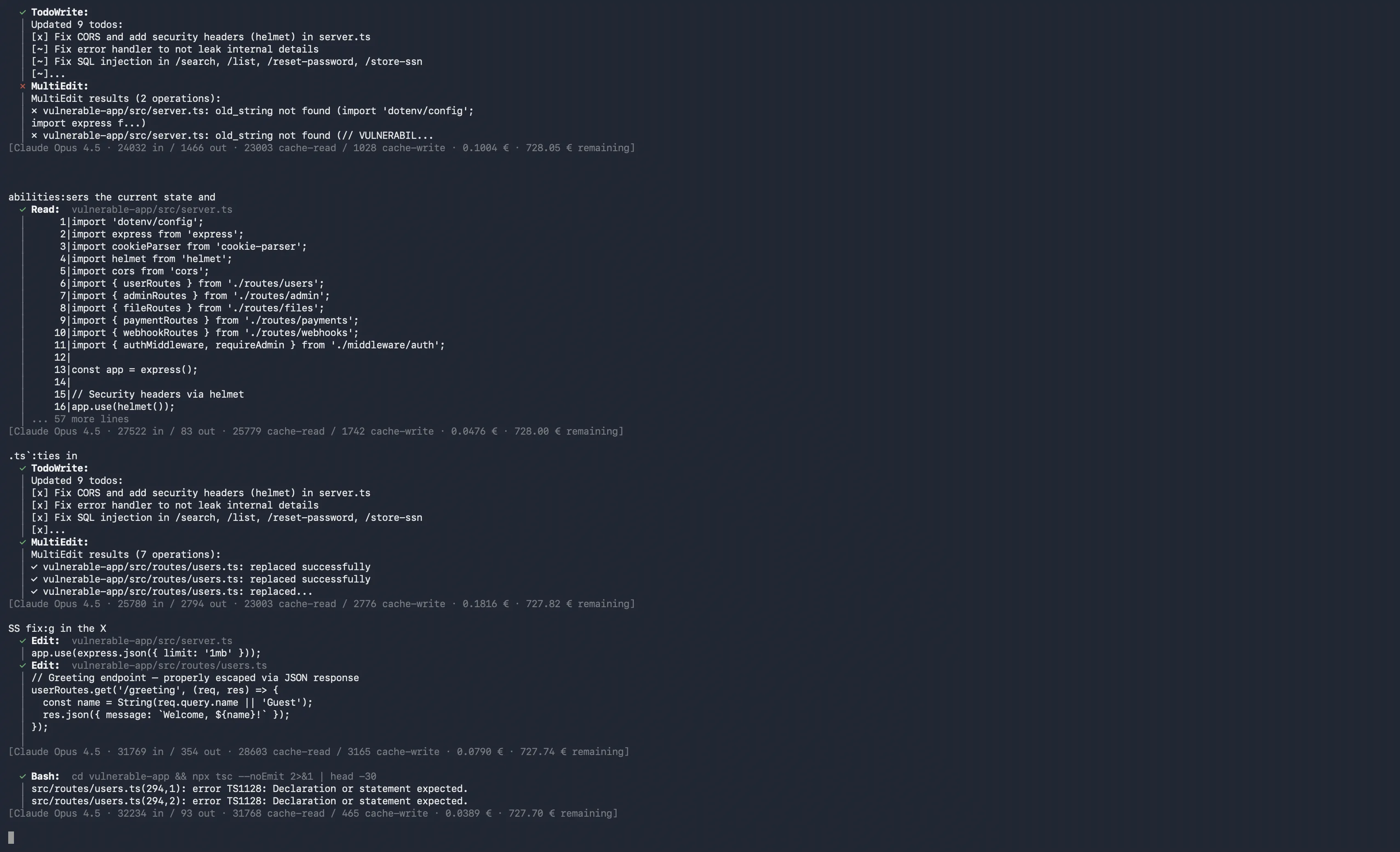
$ lurus review --security
Scanning 142 files...
0 critical · 2 warnings · 1 info
Integrations Your editor. Your workflow.

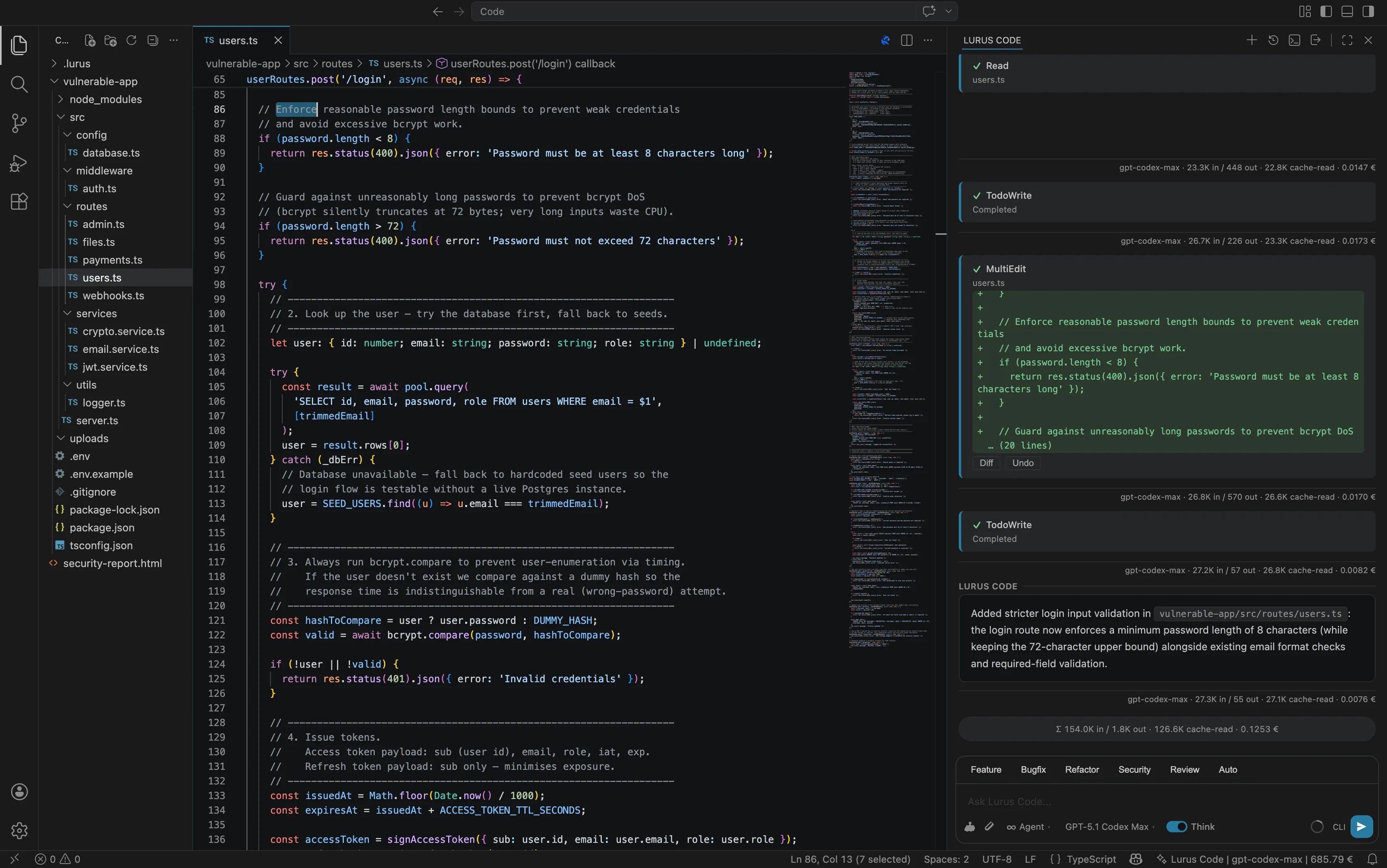
Lurus Code integrates seamlessly into VS Code and CLI. Your workflow stays untouched.
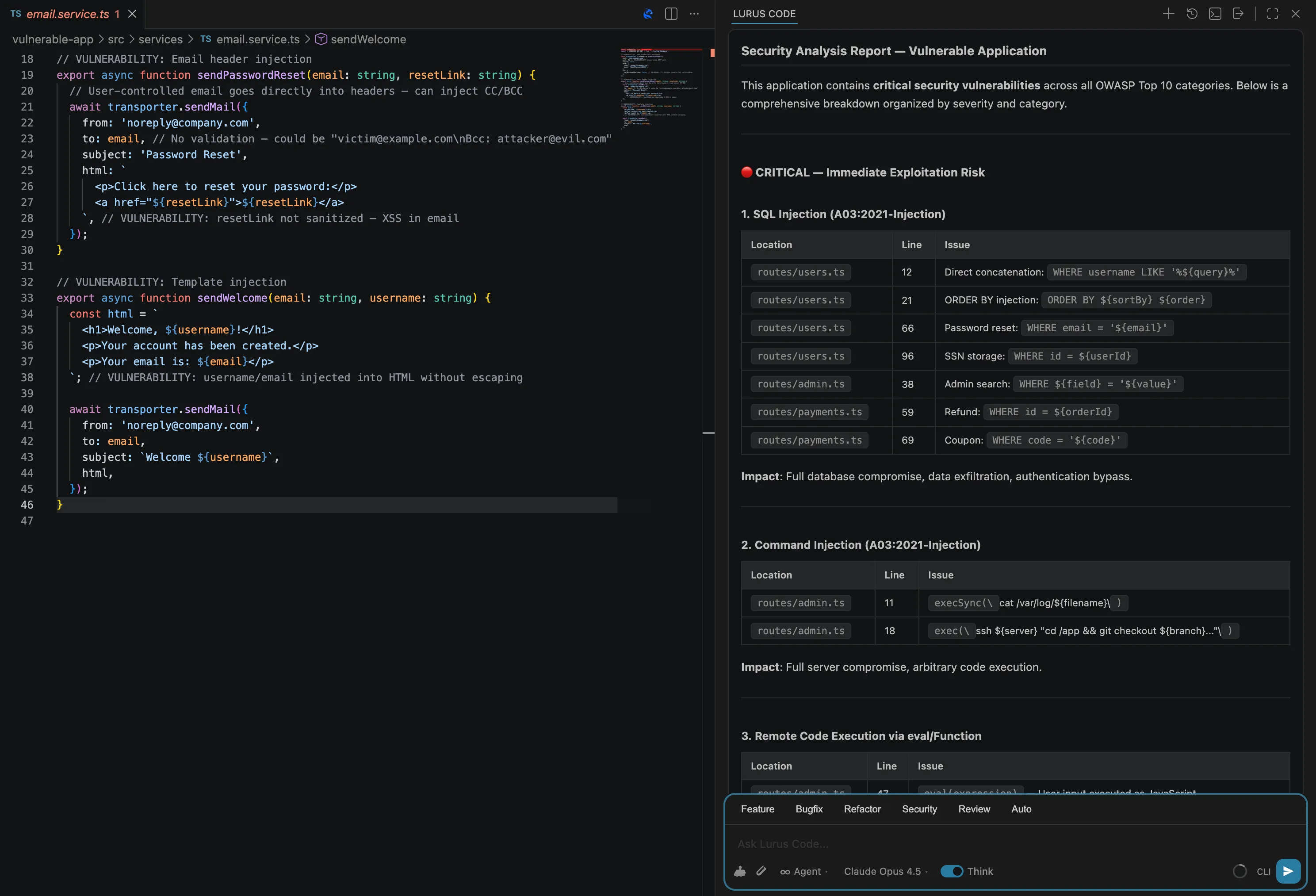
VS Code + Lurus
Lurus Code seamless VS Code integration with AI chat panel and inline diff review

All Models

Every model. One platform.

Switch seamlessly between Lura, Claude, GPT, and open-source models. All requests are processed GDPR-compliantly.

Lura Lurus Code
Lura
Balanced model
Tool Calling
Reasoning
Claude Anthropic
Claude Opus 5
Claude Opus 4.8
Claude Opus 4.6
Claude Opus 4.5
Claude Sonnet 5
Claude Haiku 4.5
GPT OpenAI
GPT-5.6 Sol
GPT-5.6 Terra
GPT-5.6 Luna
GPT-5.5
GPT-5.3 Codex
GPT-5.1 Codex Max
GPT OpenAI (Global)
GPT-5.6 Sol (Global)
GPT-5.6 Terra (Global)
GPT-5.6 Luna (Global)
GPT-5.5 (Global)
Gemini Google
Gemini 3.7 Flash
Gemini 3.1 Flash Lite
EU-Provider Model-dependent
GLM 5.2
Kimi K2.7 Code
DeepSeek V4 Pro
MiniMax M3
Mistral Medium 3.5
GPT OSS 120B
Global-Provider US-hosted
DeepSeek V4 Pro (Global)
Qwen 3.7 Plus (Global)
Kimi K2.7 Code (Global)
Nemotron 3 Ultra NVFP4 (Global)
MiniMax M3 (Global)
GLM 5.2 (Global)

Processing depends on model and region. No customer data is used for training.

How it works

Meet Lurus Code

Lurus Code
Lurus Code step 1: describe your coding goal in natural language to the AI agent Lurus Code step 2: AI agent plans implementation and writes code autonomously Lurus Code step 3: review AI-generated changes with inline diff and deploy to production
In numbers

Lurus Code in numbers.

0 Lines of code written
0 Developer hours saved
0 Slash commands available

Product

Experience it yourself.

Chat, inline edit & diff review
Lurus Code developer experience: AI chat, inline code editing, and diff review in VS Code Lurus Code security findings dashboard with OWASP vulnerability detection and auto-patches Lurus Code multi-agent orchestration coordinating parallel AI coding tasks in real-time

Chat, inline edit & diff review

From chat to inline edits to diff previews. Everything directly in your editor, all in one flow.

FAQ

Frequently Asked Questions

Everything you need to know about Lurus Code